
exploring a modern embedded development experience
things are getting pretty serious
2/18/2024
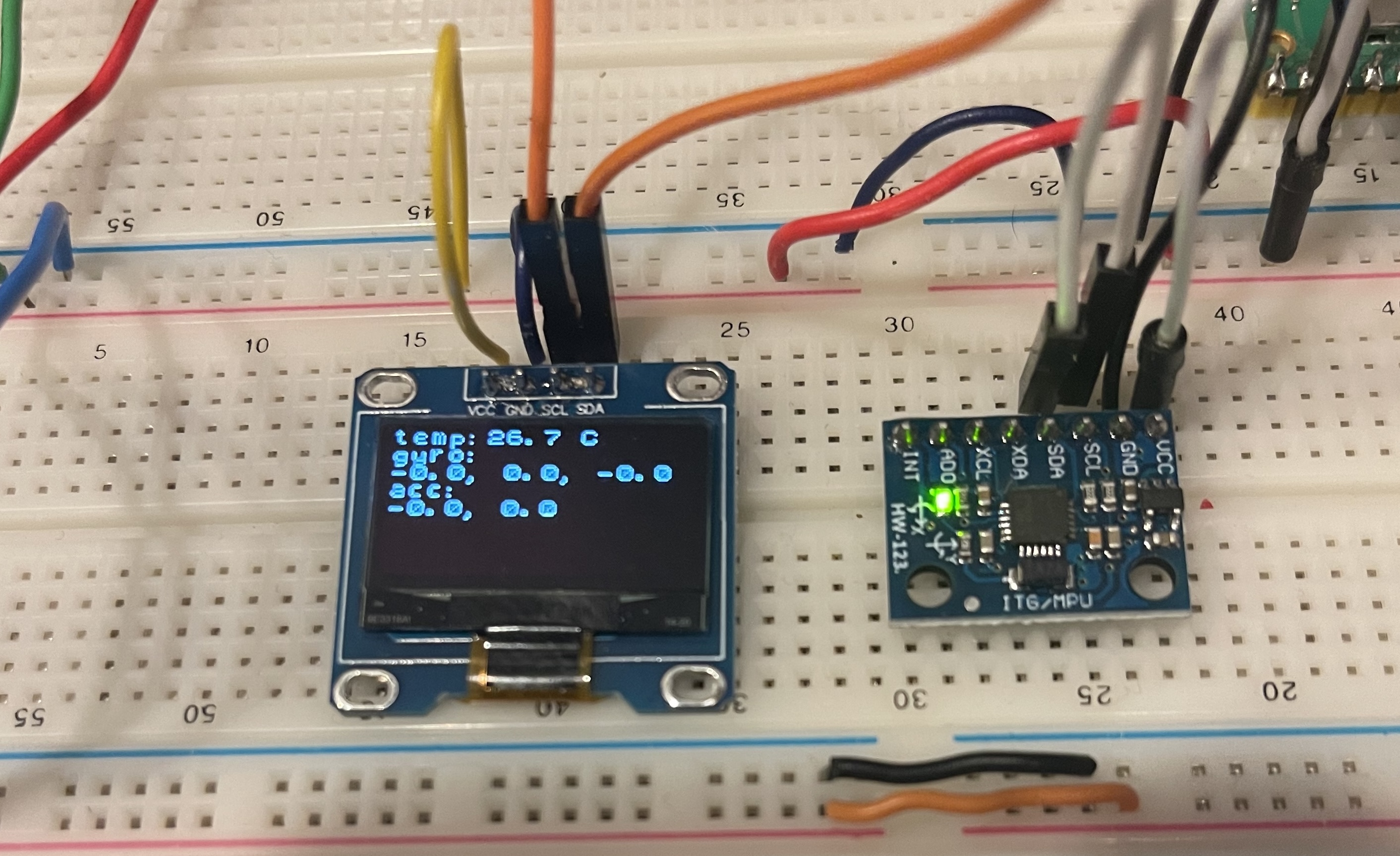
I completed another small project, which prompted me to reflect on a few aspects of writing bare-metal firmware in Rust. This is going to be a multi-part post, as I do a deep dive into several topics -
- writing to flash memory and probe.rs
- abstractions like the embedded-hal and BSP
- RTT and logging
- the final project implementation and incorporating drivers from other crates
tldr; here's the source
flashing a program
Leveraging a project template from
rp-rs
made flashing programs as simple as
cargo run --release. I want to go into how this works. From
probe.rs:
probe-rs is a library that implements the protocols of debug probes from various manufacturers and the protocols of different chip architectures. It furthermore is able to flash many targets and download software onto them. While probe-rs was originally targeted at the Rust community, it can freely be used for programming in C as well.
Fantastic. Go support this project.
Let's try to get down to first principles. A good place to start is
understanding our target architecture, and how the Pico's memory is laid
out.
Hello, datasheet.
The RP2040 is a dual-core ARM Cortex-M0+ processor. It has 264KB of SRAM,
and 2MB of flash memory. Since we are developing our code on MacOS, we need
to use a cross-compiler to generate code that can run on the Pico. In
this case, we need the arm-none-eabi toolchain.
arm-none-eabi is a target specifier. Arm is the target
architecture, 'none' shows that the compiler is not targeting a specific
operating system, and 'eabi' stands for the
embedded application binary interface. After installing the
toolchain, specify the build target in config.toml at the root
of your project - for the Pico, thumbv6-none-eabi.
Let's take a look at this program's linker script -
memory.x tells the linker how to lay out the program in memory.
MEMORY {
BOOT2 : ORIGIN = 0x10000000, LENGTH = 0x100
FLASH : ORIGIN = 0x10000100, LENGTH = 2048K - 0x100
RAM   : ORIGIN = 0x20000000, LENGTH = 256K
}

EXTERN(BOOT2_FIRMWARE)

SECTIONS {
    /* ### Boot loader */
    .boot2 ORIGIN(BOOT2) :
    {
        KEEP(*(.boot2));
    } > BOOT2
} INSERT BEFORE .text;
let's see if this matches up with what the datasheet says about memory layout:
External Flash is accessed via the QSPI interface using the execute-in-place (XIP) hardware. This allows an external flash memory to be addressed and accessed by the system as though it were internal memory. Bus reads to a 16MB memory window starting at 0x10000000 are translated into a serial flash transfer, and the result is returned to the master that initiated the read.
Lot going on in there, but the point is that the flash memory starts at address 0x10000000. The linker script reflects this - and the second-stage bootloader is placed at the beginning of flash memory, before our program code .text section. Check out EXTERN(BOOT2_FIRMWARE) - in our case, the Pico BSP supplies this symbol, which in turn grabs it from the rp2040_boot2 crate. I went and grabbed the definition for us to look at:
/// The linker will place this boot block at the start of our program image. We
/// need this to help the ROM bootloader get our code up and running.
#[cfg(feature = "boot2")]
#[link_section = ".boot2"]
#[no_mangle]
#[used]
pub static BOOT2_FIRMWARE: [u8; 256] = rp2040_boot2::BOOT_LOADER_W25Q080;
The second-stage bootloader is exactly 256 bytes - 0x100.
Since I'm using another Pico as a debugger, I'm programming the target via
ARM's SWD. probe.rs implements SWD, so we are in luck. Here's
config.toml
[target.'cfg(all(target_arch = "arm", target_os = "none"))']
# Choose a default "cargo run" tool (see README for more info)
# - `probe-rs` provides flashing and defmt via a hardware debugger, and stack unwind on panic
# - elf2uf2-rs loads firmware over USB when the rp2040 is in boot mode
runner = "probe-rs run --chip RP2040 --protocol swd"
# runner = "elf2uf2-rs -d"

rustflags = [
  "-C", "linker=flip-link",
  "-C", "link-arg=--nmagic",
  "-C", "link-arg=-Tlink.x",
  "-C", "link-arg=-Tdefmt.x",

  # Code-size optimizations.
  #   trap unreachable can save a lot of space, but requires nightly compiler.
  #   uncomment the next line if you wish to enable it
  # "-Z", "trap-unreachable=no",
  "-C", "inline-threshold=5",
  "-C", "no-vectorize-loops",
]

[build]
target = "thumbv6m-none-eabi"

[env]
DEFMT_LOG = "debug"
The "runner" field tells cargo to run the code with probe-rs, which handles
the magic of detecting our target device via SWD and flashing the program. A
much better experience than GDB and OpenOCD, for my industry veterans! This
summarizes how cargo run is configured to flash the Pico.
That's about it for programming the target. One topic of extreme importance to embedded programmers - code size. Rust binaries can be pretty big, even #[no_std]. I'll address the topic, along with strategies to reduce binary size, at a later date.
Coming soon: embedded-hal and BSP crates!